
For an LED display, distinguish content frame rate, input refresh rate and LED driver refresh. Content frame rate is the number of distinct frames per second (fps). Input refresh rate describes the signal received by the display system. LED driver refresh describes how the LEDs are driven and may be quoted in thousands of hertz. These values describe different parts of the image chain.
Importance of Refresh Rate
A higher LED driver refresh rate can reduce visible flicker and camera banding under suitable operating conditions. It does not, by itself, add motion detail to the source or guarantee a band-free recording. Scan mode, brightness, exposure and camera settings also matter.

Illustration of camera banding; results depend on the display and camera settings.
Refresh Rate vs. Frame Rate
A 60 fps source contains up to 60 distinct frames each second. A compatible 120 Hz display can repeat those frames twice; it does not need to discard source frames simply because its refresh rate is higher. A quoted 3840 Hz LED driver refresh does not mean the display accepts a 3840 fps video signal.
Relationship Between Refresh Rate and Frame Rate
When source and display timing differ, the processing chain may repeat, convert or drop frames. Uneven cadence can cause judder, while unsynchronized updates may cause tearing. Check the supported input formats and synchronization across the source, processor and receiving system; do not infer compatibility from the LED driver refresh figure alone.
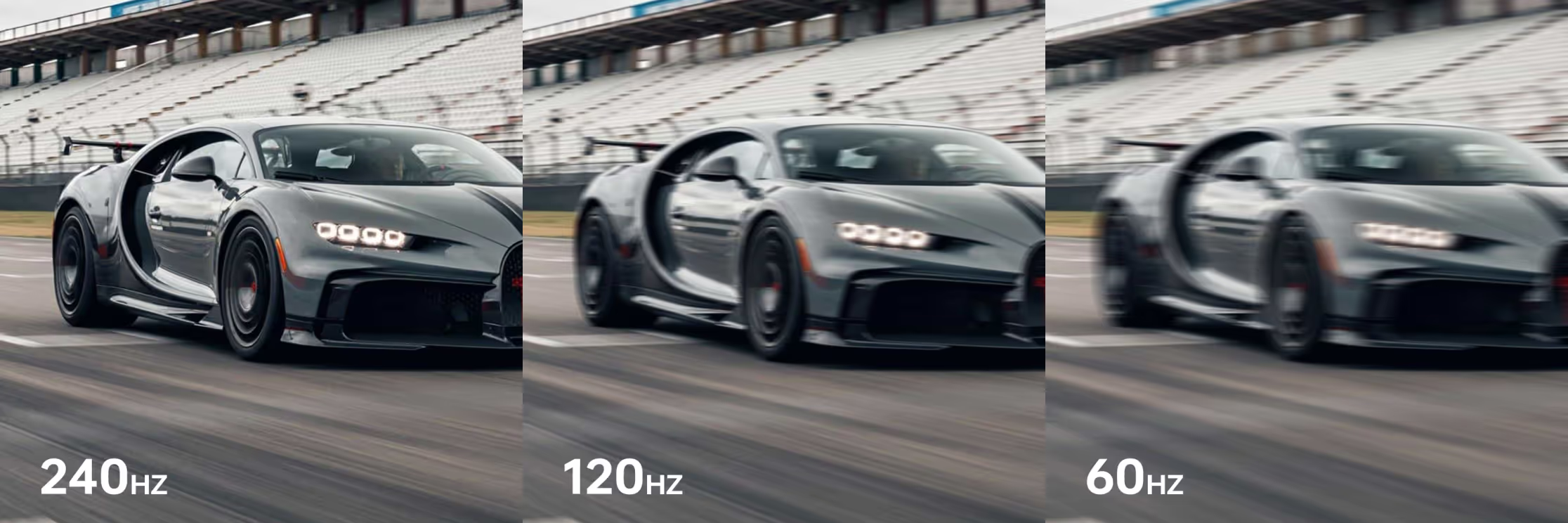
Illustrative refresh-rate comparison; perceived motion also depends on source content and display response.
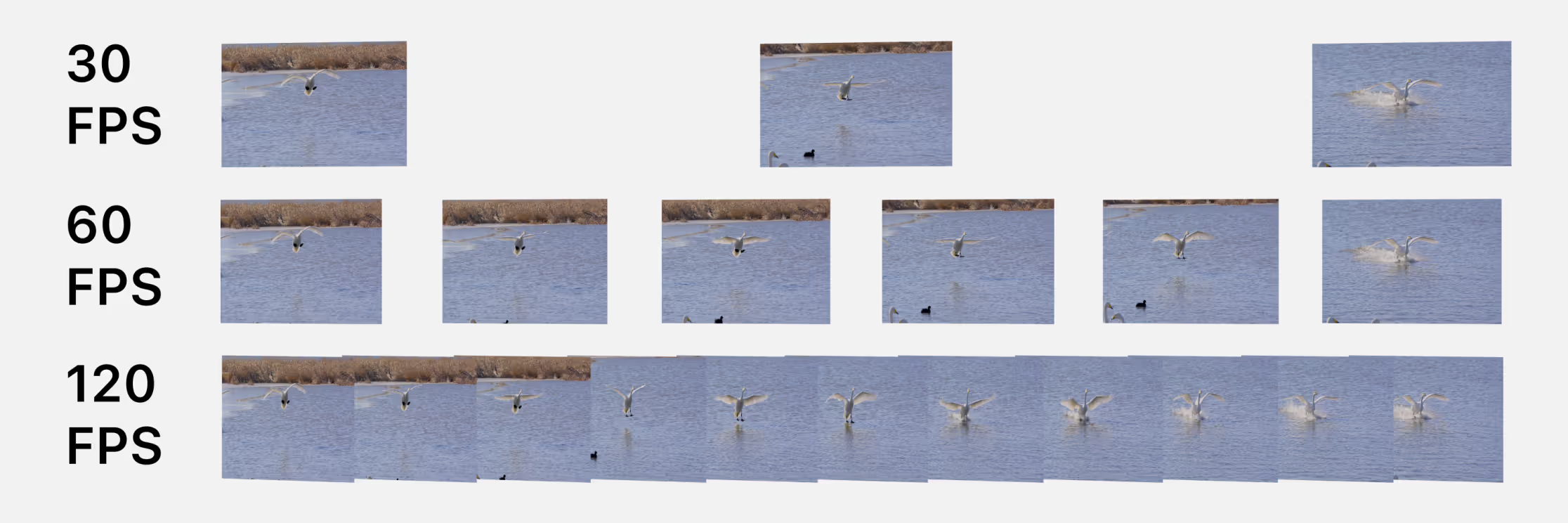
Illustration of 30, 60 and 120 fps content: more source frames provide more temporal samples.
Choosing the Right Refresh Rate
For presentations and general video, begin with the source format and supported input timing. For live streams or virtual production, also test the actual camera, shutter settings, exposure, brightness and scan configuration. LED driver figures such as 1920, 3840 or 7680 Hz should be compared under equivalent conditions; a larger number alone does not establish better image quality.